

Avustajaklinikka in your pocket
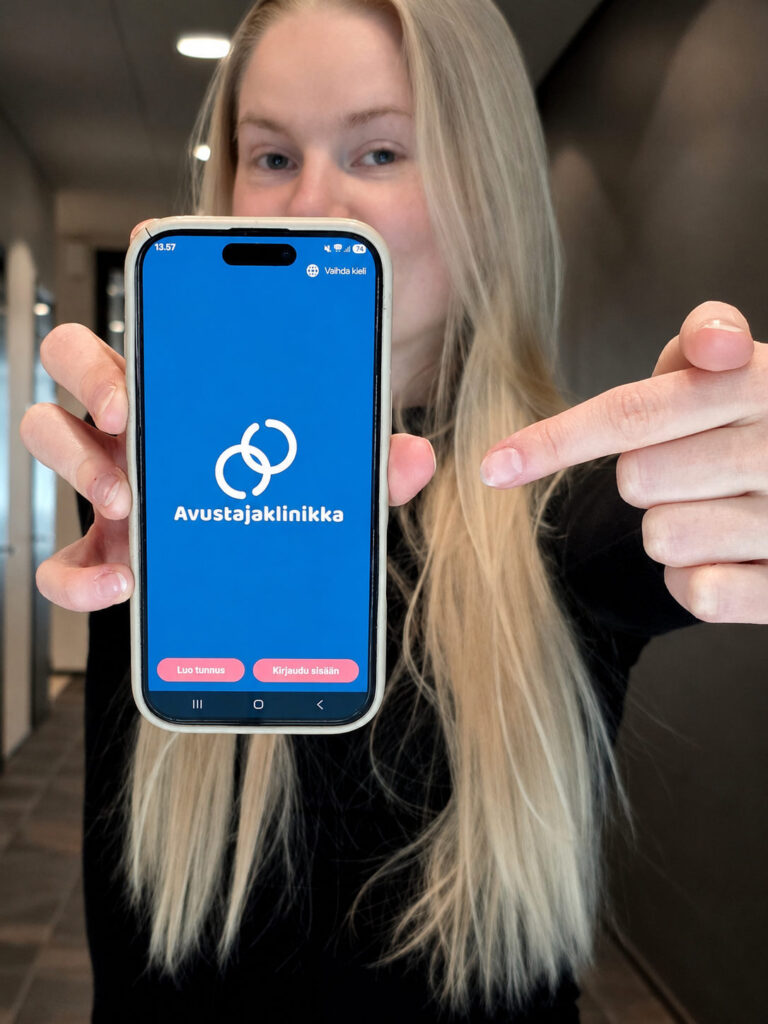
How does the app work?
- Create your profile
Tell clients about your skills, experience, and preferences, and add a photo. The more complete your profile is, the easier it is for clients to find you. - Receive shift offers
You will see shift offers that match your profile and preferences. - Show your interest
Found a suitable shift offer? Show your interest with just one tap. - The client chooses the assistant
The client reviews the profiles of interested assistants and chooses the assistant who is the best fit for them.
How the App benefits you
Find shifts that suit you
- You will receive notifications about shift offers that match you.
- A well-completed profile helps clients find you.
Manage your shifts easily
- You can see all your shifts and the related details in one place.
- You will receive the client’s contact details once you have been selected for the shift.
Stay up to date
- You will receive reminders about upcoming shifts.
- You will receive notifications about new work opportunities.

How to get started with the app
- Open the app store on your phone: Google Play Store on Android or App Store on iPhone.
- Search for Avustajaklinikka.
- Download the app and open it.
- Create a new account or log in.
- You are ready to start using the app!

Guides for doandloading and using the app
How to get the app for Android
How to get the app for iPhone
How to register as an assistant
Lisää ohjeita:
Frequently asked questions
What are the benefits of downloading the app and creating a profile?
The app is the easiest way to find assistant work that feels meaningful to you. Your profile helps clients find work opportunities that match your skills, interests, and life situation. Whether you already work as an assistant at Avustajaklinikka or are just interested in the field, the app helps you find suitable shifts and build a role that works for you.
Does the app cost anything?
No. The app is free. It can be used by all Avustajaklinikka assistants.
Is the app mandatory for assistants?
Yes. Shift management will gradually move to our dedicated app. Assistants will be informed separately about the exact schedule before the change takes place. Please make sure your own coordinator still has up-to-date information about your shifts.
How can I get work through the app?
If you are looking for assistant work, first register as a user and create a profile in the app. When a shift published by a client matches your information and skills, you will see it in the app. You can then show your interest in the shift, after which the client chooses the assistant who is the best fit for the shift. After that, Avustajaklinikka takes care of the necessary contract matters. Then the work can begin!
What information can the client see about an assistant?
The client can see the assistant’s profile. It may include, for example, a profile photo, introduction, language skills, education, work experience, skills, hobbies, and interests.
Your profile is your personal introduction to the client. In addition to skills, clients often look for someone who feels like the right personal fit. That is why we encourage assistants to tell clients about themselves in a varied and personal way.
What information can the assistant see about the client?
The assistant can see the dates and times connected to the shift, any requirements related to the assistant’s skills or experience, and the introduction written by the client. The client’s name, phone number, and address are shown to the assistant only after the client has accepted them for that specific shift.
Does the app replace service coordinators?
No. Service coordinators are still there to help both clients and assistants. The app helps clients, assistants, and Avustajaklinikka work together, but it does not replace help from real people.
Is it the assistant’s role to help the client use the app?
Yes. If the client cannot use the app themselves, you can help them use it. However, you must not favour yourself when it comes to shifts. Our coordinators are also there to help you with guiding the client.
Can all assistants see all shifts?
The aim is to show shifts to suitable assistants. This reduces unnecessary contacts and helps each shift reach assistants who have the required skills.
As a rule, an assistant does not see shifts that are outside their work search area, take place during times they have marked as unavailable, or require skills they do not have.
Can the assistant choose the area where they want to work?
Yes. In the app, assistants can choose how wide an area they want to receive shift offers from. The radius can be set from your home address anywhere from 0 to 99 kilometres. Assistants can also choose a setting that allows them to receive shift offers only from their own clients. This makes it possible to tailor work opportunities to your own wishes and life situation.
Can the assistant mark when they are not available?
Yes. Assistants can mark the times when they are busy or not available. This means shifts are only offered when the assistant is actually available. Not available, for example, during holidays or at times when the assistant regularly attends school.
Can the assistant choose which shifts they are interested in?
Yes. Assistants can choose which shifts they want to show interest in.
Can I cancel my interest in a shift?
Yes, as long as the client has not yet chosen you for the shift.
If you have already been accepted for the shift, you must inform Avustajaklinikka and the client about any cancellations without delay, according to the agreed practices.
Why should I add a profile photo?
A profile photo helps the client get to know you and makes your profile feel more personal. A clear and appropriate photo can make it easier for the client to choose an assistant.
Need help using the app?
Our coordinators will help you get started with the app and use it. You can ask for help with things like adding shifts, responding to shift offers, and other questions related to using the app.
📞 030 622 0 522
✉️ asiakaspalvelu@avustajaklinikka.fi
If the app is not working properly, you can get technical help by email:
Feedback and development ideas
We are happy to receive feedback, development ideas, and other comments about the app.
For data security and privacy reasons, please do not include sensitive personal information in your feedback.
If you would like us to contact you, remember to leave your contact details.